This AI Pen Writes AND Records at the Same Time: Flowtica Scribe!
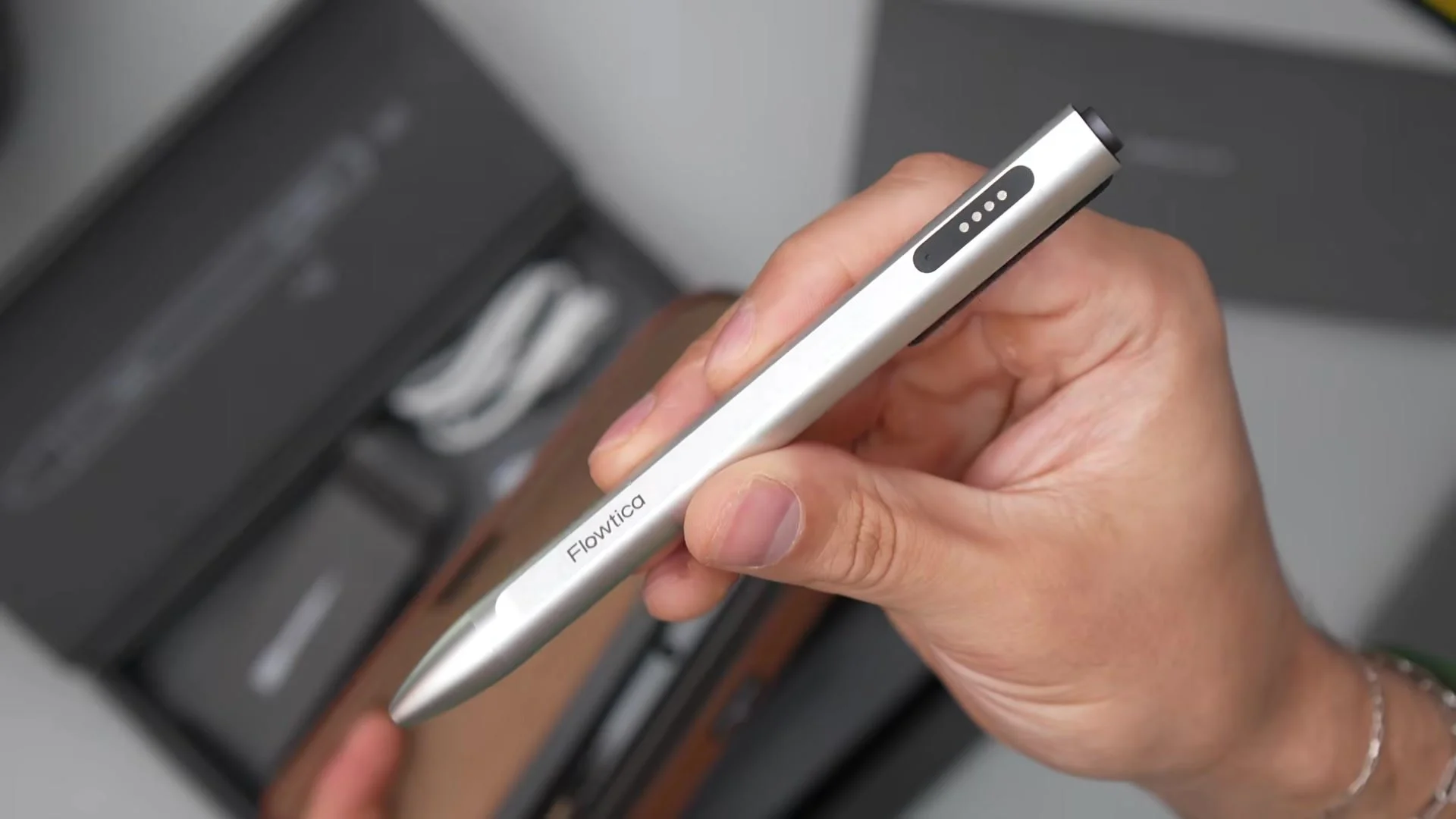
The Flowtica Scribe looks like a regular pen, and honestly, it is one — the ink goes on the page and you can doodle in the margins like a normal person — but it’s also recording the whole meeting while you write, then transcribing it, summarizing it, and pulling out the action items before you even walk back to your desk. Instead of asking you to carry one more AI note-taking gadget, it builds the AI into something you’d already be carrying. I’ve been throwing it into my personal brainstorming sessions, and in this review I cover the design, recording, FlowMark, battery life, and the app features that turn your meetings into a searchable knowledge base. (Flowtica sponsored this video and sent the Scribe Complete set, but this is my real take after living with it.)
My Honest Take: the pen itself has a really nice metal finish with minimal branding, it’s a little thicker than an average pen in a good way, the fine-tip ink flows nicely, and the buttons are clicky — press and hold the top to record and you get a vibration and an LED so you know it’s actually recording. The magnetic charging case charges over USB-C, can hold a spare refill, and has Apple Find My built in. It’s MFi certified, so once it’s paired over Bluetooth the connection stays reliable in the background, incoming calls don’t kill the session, and your phone can stay in your pocket. When you stop recording, the app has already generated the full transcript, a clean structured summary, and a list of action items, which skips about 15 to 20 minutes of after-meeting cleanup. You get around 30 hours of continuous recording on the pen and up to 100 hours with the case, a rated pickup range of about 16 feet, speaker recognition for up to 15 people, and 39 transcription languages. FlowMark is the secret weapon: tap the button under your thumb when something matters and it shows up in bold and italics in the summary and highlighted in yellow in the transcript. Ask Anything lets you question your recordings or generate things like video ideas and follow-up emails, Snap It OCRs whiteboard and slide photos into your knowledge base, and everything is encrypted with storage under your control, and they don’t sell your meetings or train third-party models on them. Things to know: it doesn’t digitize your handwriting like some smart notebooks, the small ink cartridges mean it’s not for filling journals, it needs the companion app, and it only gets more useful the more you use it.
Watch the full Flowtica Scribe review to see FlowMark, Ask Anything, and Snap It in action. Final thoughts: for executives, lawyers, consultants, students, and creatives who capture ideas between meetings, this does a great job of summarizing everything and keeping you organized, and what makes it stand out from other AI recording gadgets is that it’s a tool you already carry — nothing in the category does write-on-paper-and-record this cleanly — so check the link and the code ROMERO in the video description for up to 15% off.